
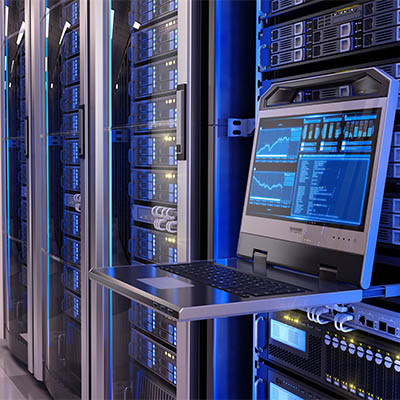
Your business relies on technology for access to an IT infrastructure. One such piece of technology that you use on a daily basis, whether you realize it or not, is a server. A company that has a single server might be able to get away with less-than-stellar server management policies, but those that have multiple servers should never be skimping on the environment in which their servers live.

Global Tech Solutions Blog
Computers are supposed to make life easier, and in a lot of ways, they do. However, using a computer can get complicated at times, especially when you are working with tons of files, applications, and resources on a daily basis. This can lead to a ton of digital clutter, which can be counterproductive and time-wasting. Let’s learn about how you can reduce digital clutter on your work PC.
The Windows operating system comes with more than its fair share of capabilities, many of which are accessible through the appropriate keyboard shortcut. Because remembering so many would be a challenge for some (and impossible for most) we’ve put together a list of those associated with the letters found on the keyboard, with a few extras tacked on for good measure. Make sure to take note of any you may find the most useful.
Whenever you ponder the purchase of a new computer, one important specification that you likely consider is its data storage. This was especially the case when you considered a new machine for family use—there are a lot of documents and photos to store, and any kids you have will want to fill it with games and other apps. Nowadays, it’s a little different. Rather than focusing on storage, you’ll want to focus on the computer’s speed. Let’s get into it a little further.
The technology your business uses is extremely important. One of the most important pieces of technology that you will routinely get is the workstation. Since it is the hub of productivity, there are certain variables that you need to consider when purchasing new workstations. This month, we will go through this process.
Despite many having to work from home for some time now, a lot of these people still haven’t quite gotten the hang of remote productivity or have developed some less-than-productive habits. This week, we’re providing these people with a few remedial tips to make their efforts while working from home as effective as possible.
In a word, yes. Sure, there’s the obvious difference in that one leaves you with a computer that is turned off while the other results in it being turned on again, but there are other important differences that are present behind the scenes. Let’s go over a few of these differences, and how they impact when you should restart your computer versus when you should shut down completely.
By now it should be clear that the same computer might not work for two different businesses’ needs. In previous articles we discussed how to select the right CPU, RAM, storage, and display for your desktop. This final post will be dedicated to some of the topics that couldn’t fit into previous parts.
Are you in the market for a new desktop computer for your business (or your home office)? We’ve put together a five-part guide to help make sense of the components that go into a desktop computer to give you a better idea about what you may need in a new desktop. We start our guide by breaking down CPUs, and what is right for your needs.
The Windows 10 operating system is the most common operating system for business use, which is what makes it surprising that so few know how to adjust its appearance to suit their preferences. For this week’s tip, we’ll go over a few ways to adjust what you’re seeing and/or looking at for maximum productivity.
Depending on the task you’re trying to work on, it can sometimes seem like there just isn’t enough space on your computer monitor. One of the best solutions is to add another monitor. However, this sometimes requires more that just plugging another display into your system. For this week’s tip, we’ll review the steps to connecting multiple displays to your workstation.
Laptop touchpads can be difficult to work with. If you’ve ever been stuck in a frustrating situation where your touchpad isn’t working properly, you know what this feels like. In a worst-case scenario, touchpad problems can cause data loss and a loss of productivity, leading to downtime that directly affects your ability to work properly. If you’re having touchpad problems, try these five troubleshooting tips.
Every budget-minded business owner is always on the lookout for deals, especially when it comes to technology. The quest to save money might cause one to consider buying used computer equipment, which could work out great, or it could be disastrous, depending on a multitude of factors. If you’re serious about purchasing used computer equipment, then take into consideration these four tips.
Does your business have trouble keeping data on the company network? This can be an issue if your employees use their mobile devices to do work while on the go. In order to keep this from becoming an issue, you should encourage your employees to not keep sensitive data on their mobile devices, and establish policies that give you control over your data and email on personal devices. That said, let’s show you how to get your data off of your Android device and back on your network where it belongs.